
Legacy product
ITSM4Outlook
The Microsoft Outlook add-in that let IT support teams work on BMC Remedy / Helix ITSM records without leaving their inbox.
This product is no longer actively developed
HDT has moved its focus to integration and automation consulting. This archive stays online for existing customers, with the final client and server component builds. If you still run ITSM4Outlook, contact us.
What it did
In many organisations, IT incidents and service requests still arrived by email and had to be retyped into a structured ITSM tool, a slow process that lost information along the way.
ITSM4Outlook bridged that gap. Installed as an Outlook extension, it connected to the BMC Remedy ITSM Suite so support staff could create, update, dispatch and resolve tickets directly from Outlook, through a clear and intuitive interface.
Key capabilities
- Create incidents, requests and work orders directly from an email
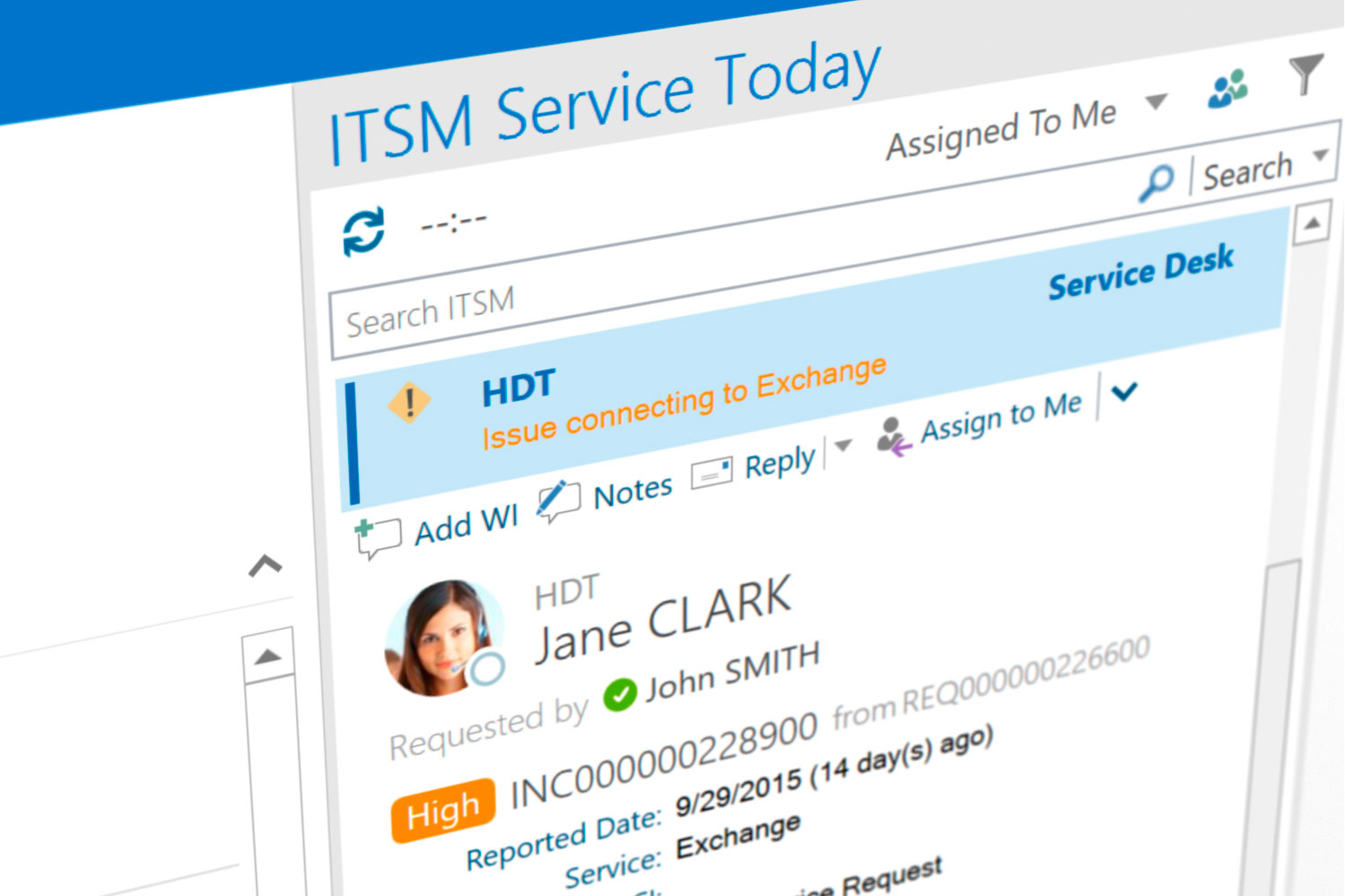
- Service Today panel showing your ITSM workload inside Outlook
- Source emails attached automatically to the work log
- Customer validation, categorisation and routing
- Assign to yourself or a team member, update status in one click
- Dispatch or escalate tickets to another support group
- Change, approval and relationship support (v2)
- Scheduled changes, work orders and tasks synced to the Outlook calendar
- Ticket IDs added automatically to email subjects
- RSSO and SAML web authentication
Downloads
Only the final builds are kept. Deploy the server component in your ITSM instance before upgrading the Outlook clients.
Outlook client 2.3.8381.19484
Windows installer (MSI). Choose the build that matches your Office installation (64- or 32-bit).
Server component 2.2.0.2
For BMC Remedy / Helix ITSM 9.1 and later. See the integration guide above.
Provided for existing customers. These builds are no longer maintained.SHA-256 checksums
Documentation
- Product datasheetPDF overview of features and benefits.
- Server component integration guideHow to deploy the server-side interfaces in Remedy ITSM (PDF).
- Release historyEvery client and server component release, 2018–2022.
- Video tutorialsConfiguration and daily-use walkthroughs on YouTube.
Knowledge articles
Technical articles for administrators and users.
Frequently asked questions
Who was ITSM4Outlook for?
IT support staff and their managers working with BMC Remedy ITSM. From version 2, non-support staff could also use it to follow their requests and approvals.
Did it replace BMC Remedy?
No. ITSM4Outlook acted as a bridge between Microsoft Outlook and BMC Remedy / Helix ITSM, so an active ITSM instance was always required.
Did it work with other ITSM tools?
No, ITSM4Outlook only integrated with BMC’s ITSM suite. Integrating Outlook or Microsoft 365 with other platforms is now part of our consulting services.
Did it run on Mac?
No. ITSM4Outlook was a Windows-only add-in for the desktop version of Microsoft Outlook.
How was it installed?
The server component (interfaces) was deployed into the Remedy ITSM instance first; the Outlook client was then installed on each workstation with the MSI package and the licence activated.
How do I get help as an existing customer?
Email support@hdt-software.com with your organisation name and the versions you run.
ITSM4Outlook, HDT, HDT Software and the HDT Software logo are the exclusive property of HDT Software Limited. BMC, BMC Remedy and BMC Helix are trademarks of BMC Software, Inc. Microsoft, Windows, Office and Outlook are trademarks of Microsoft Corporation.